Livestream Fitness Classes for Studio Owners: 2026 Guide
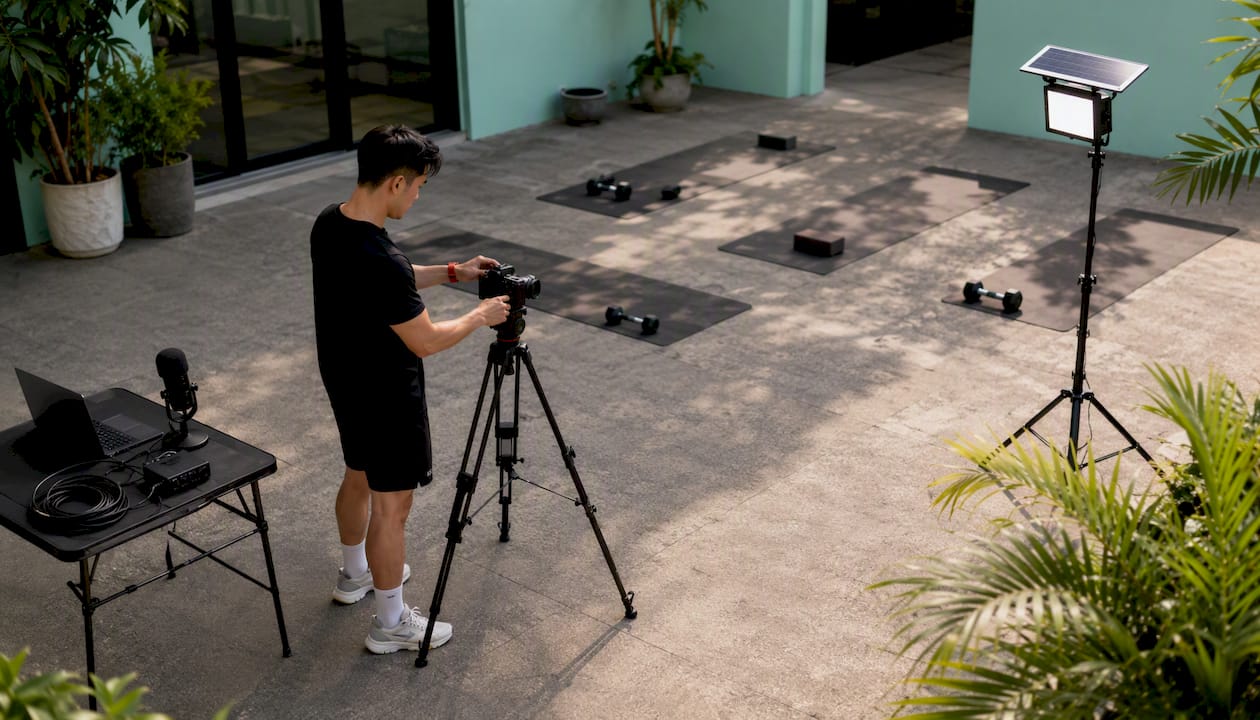
The fastest path to running professional livestream fitness classes is an all-in-one gym operating system that handles scheduling, billing, access control, and stream delivery from a single dashboard. You do not need a broadcast engineer or a separate video platform. What you need is software that automates the link delivery, tracks attendance automatically, and gives members a branded one-click join experience. Joinfitnessflow is built specifically for this workflow.
Three things separate studios that launch successfully from those that stall:
- Automated, unique link delivery to every registered member (no manual emails)
- Attendance tracking tied directly to member records and billing
- A branded member app that makes joining as simple as tapping a notification
The hybrid model, live sessions paired with on-demand replays, is now a baseline expectation for competitive studios. Getting there does not require a complex tech stack. It requires the right platform and a clear 30–90 day plan.
Table of Contents
- What software features do you actually need for livestream fitness classes?
- Studio technical checklist: what camera, audio, and network do you need?
- Why simpler, browser-based streaming usually wins for studios
- How to launch livestream classes in 30–90 days
- Daily operations: keeping livestreams reliable for instructors and members
- Pricing, costs, and how to measure ROI
- Common pitfalls and red flags when evaluating vendors
- Is an all-in-one gym OS better than a DIY stack?
- Key Takeaways
- The thing most studios get wrong about going live
- Joinfitnessflow handles the full livestream workflow from one place
- Useful sources and further reading
- FAQ
What software features do you actually need for livestream fitness classes?
Not every gym management platform handles live virtual fitness classes the same way. Before you demo anything, build a checklist around these non-negotiables:
- Unified class calendar that treats livestream slots identically to in-studio classes. No duplicate class creation, no separate booking flows.
- Automated unique link generation delivered via email, app push, and SMS at booking confirmation and again 15 minutes before class. Integrated scheduling, automated link delivery, and automatic attendance tracking are now considered table-stakes for studio livestream workflows.
- Branded member app with single sign-on so members see their purchase history, upcoming classes, and join button in one place.
- On-demand VOD library with access controls. Simulive scheduling, which converts a recorded session into a scheduled replay that preserves the live-class feel, lets you expand available class times without adding instructor hours.
- Built-in billing covering recurring memberships, class passes, and pay-per-view, all linked to stream access rules so unpaid members cannot join.
- Embed player and API support so the live class player can sit inside your branded app or website, keeping members on your domain rather than a third-party page.
Studio technical checklist: what camera, audio, and network do you need?
Audio is the first thing members notice when it fails. Start there.
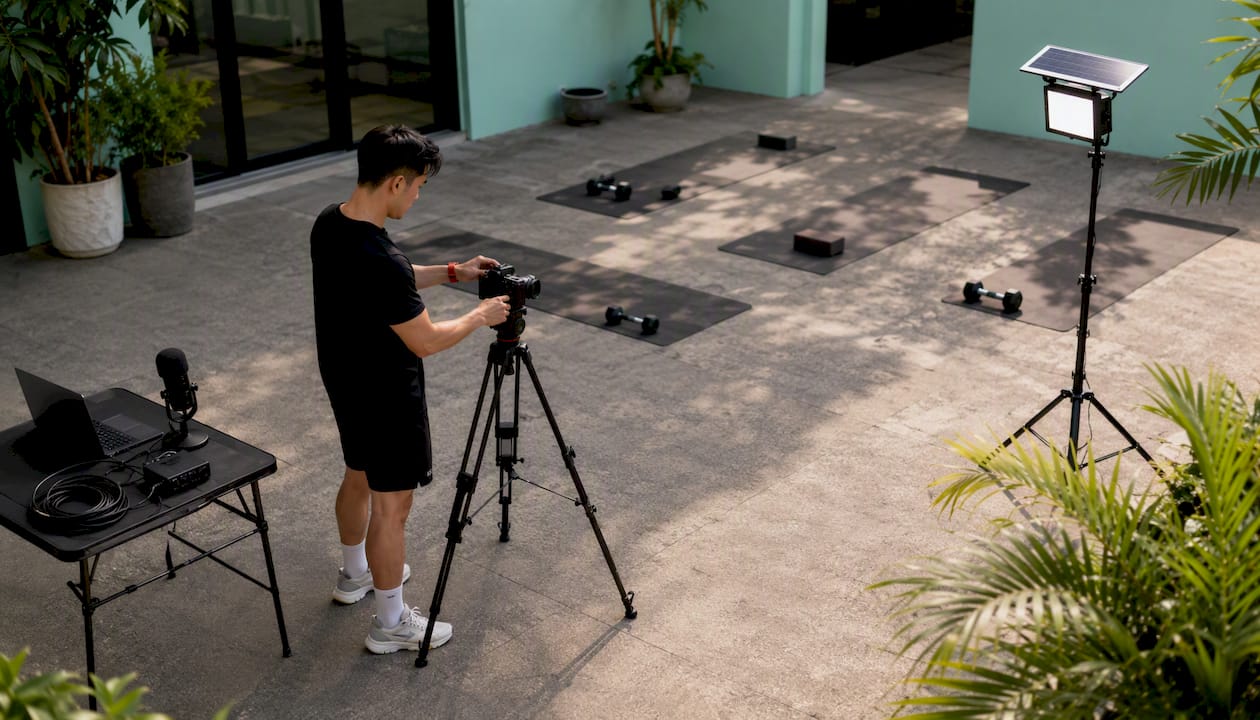
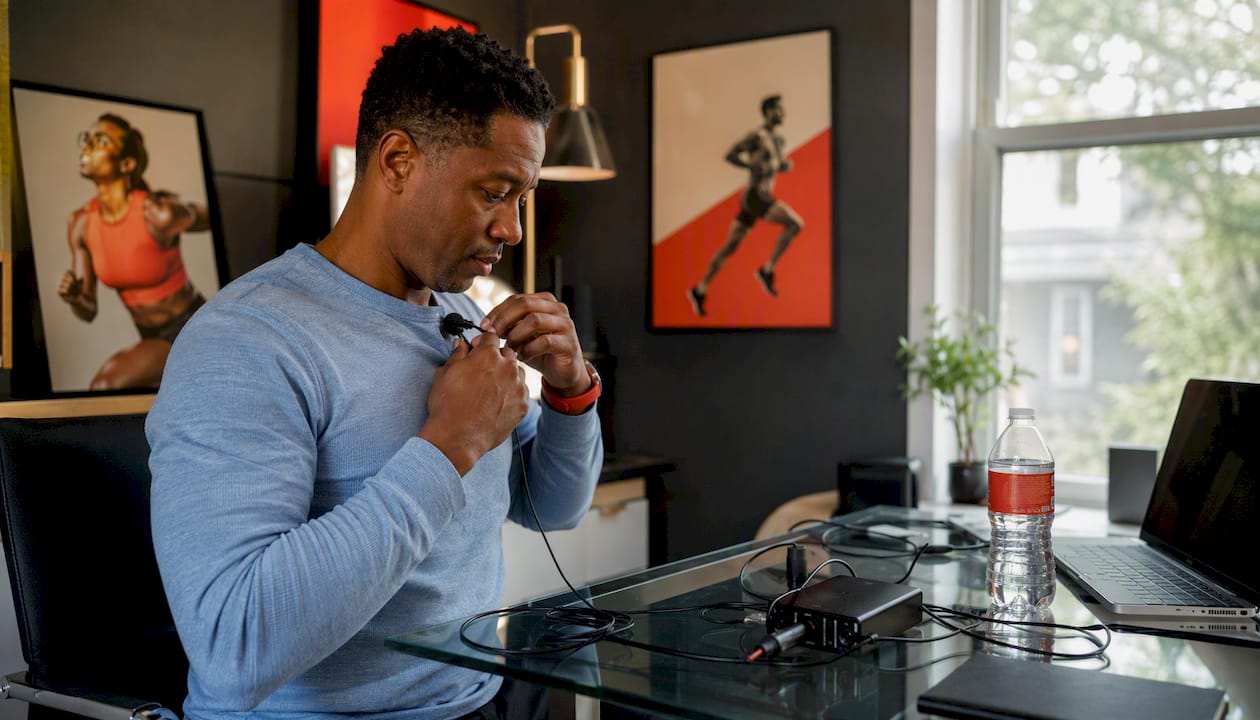
Audio: A lavalier or directional microphone connected via USB or XLR interface beats any built-in laptop mic. If your studio runs a PA system, a direct feed from the board into an audio interface is cleaner than any standalone mic. For microphone selection guidance specific to streaming setups, the options range from budget USB condensers to XLR dynamics depending on your room acoustics.
Lighting: Two softboxes or ring lights positioned at 45-degree angles in front of the instructor eliminate the flat, washed-out look that makes technique hard to see. Avoid backlighting from windows.
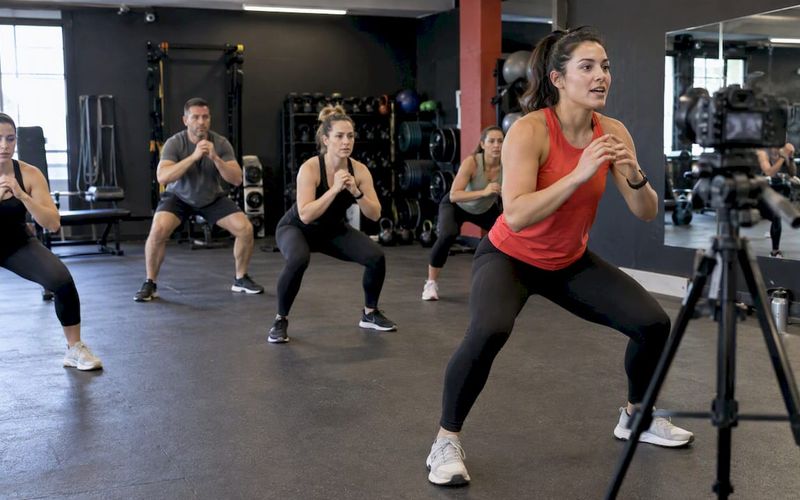
Camera: A wide-angle camera capable of 60fps handles high-motion classes like HIIT or cycling without motion blur. A recent smartphone on a tripod with a capture card is a legitimate budget path and often outperforms entry-level webcams.
Network: Hardwired Ethernet is non-negotiable for reliability. Upload speed minimums are 3 Mbps for 720p and 5 Mbps for 1080p. Test with multiple devices connected simultaneously to simulate real class conditions, not just an idle network.
Statistic callout: Uploading speeds supporting standard HD streaming resolutions are essential; exact speed requirements depend on resolution and network conditions. Test under load, not idle conditions, and budget for at least 2x your target bitrate to handle network variance.
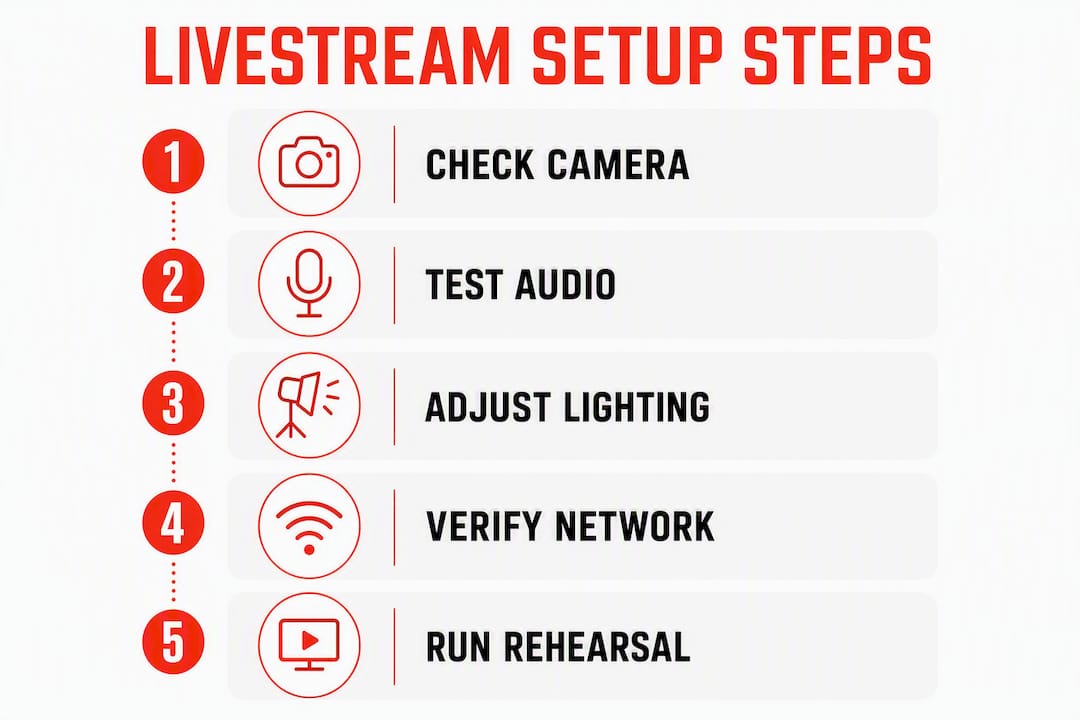
Pre-flight protocol: Run a full rehearsal with staff at least once before going public. Build a 15–30 minute buffer before every class. Document a failover plan: a local recording running in parallel and a backup meeting link ready to send if the primary stream drops.
Why simpler, browser-based streaming usually wins for studios
The single most common early failure mode is instructor-facing complexity. Multi-encoder setups, OBS scene configurations, and hardware switchers create friction that compounds at 6:00 a.m. when the instructor is also warming up a room of members.
Browser-based streaming removes the encoder entirely. The instructor opens a tab, clicks go live, and the platform handles the rest. Fewer moving parts means fewer failure points and fewer support tickets from members who cannot join.
When advanced tools make sense: multi-camera event productions, brand-first streams with graphics overlays, or studios with a dedicated in-house broadcast operator. For everyone else, prove the core schedule-to-stream flow first. Add production polish later.
Pro Tip: Standardize on one streaming path and document it as a one-page SOP. Every instructor follows the same pre-flight checklist, every class. Variance is where failures hide.
Browser-based delivery also supports embed players that keep members inside your branded app rather than redirecting them to a third-party platform, which protects your brand and reduces drop-off at the join step.
How to launch livestream classes in 30–90 days
This timeline assumes you are starting from an existing in-studio schedule with no current livestream offering.
Days 1–30: Foundation
- Select a single platform with automated link delivery, attendance tracking, and built-in billing.
- Map two to three existing class types to livestream-enabled slots in the calendar.
- Configure payment rules: which memberships include digital access, which require an add-on.
- Run internal tests with staff playing the member role. Verify the booking-to-join flow end to end.
- Complete instructor rehearsals and finalize the pre-flight SOP.
Days 31–60: Pilot
- Open two to three classes per week to members, with clear communication about the pilot status.
- Collect feedback via post-class automated surveys.
- Enable on-demand replays for all pilot classes and monitor replay engagement.
- Refine instructor workflows based on real-class learnings.
- Launch a small email and in-app notification campaign to drive registration.
Days 61–90: Scale
- Add a digital-only membership tier for remote members.
- Test pricing: class passes versus monthly digital access.
- Automate post-class follow-ups with replay links and next-class booking prompts.
- Review attendance and engagement reports. Double down on the class formats with the highest replay rates.
For a more detailed version of this rollout, the 30–90 day launch playbook on the Joinfitnessflow blog walks through each phase with implementation checklists.
Daily operations: keeping livestreams reliable for instructors and members
The booking-to-stream flow should require zero manual steps from your staff on class day.
Instructor side: One hosting link, sent automatically at schedule time. Device checklist completed 15 minutes before class. Mic level checked against the room. Camera framing confirmed for full-body visibility.
Member side: Member books online or in the app, receives a unique secure link automatically, and joins with one tap at class time. No password hunting, no forwarded links that let non-members in.
Support process: When a member reports a missing link, your staff runs a two-step check: confirm the booking record exists, then reissue the unique link from the platform dashboard. Automated check-in on join eliminates most attendance disputes before they start.
Automation priorities: Auto check-in on stream join, session recording routed directly to the VOD library, and automated post-class receipts with replay access. Platforms that auto-create links and check clients in measurably reduce administrative time and support load.
Pricing, costs, and how to measure ROI
Startup costs (one-time):
- Camera and lighting: $200–$800 depending on quality tier
- Microphone and audio interface: $80–$300
- Capture card (if using smartphone): $80–$150
- Network upgrade (if needed): varies by ISP
Ongoing costs (monthly):
- Platform subscription: varies by vendor and gym size
- Incremental instructor hours for live versus recorded content
- Bandwidth overage (rare with a hardwired connection and a well-configured platform)
Monetization models: digital-only memberships, bundled hybrid memberships that include both in-studio and digital access, class passes, pay-per-view for premium sessions, and on-demand rentals for your VOD library.
Cost ItemOne-TimeMonthly
Camera + lighting
$200–$800
—
Microphone + interface
$80–$300
—
Capture card
$80–$150
—
Platform subscription
—
Varies
Instructor hours (live)
—
Incremental
Sample breakeven
~$600–$1,250 hardware
5–8 digital members covers ongoing costs
ROI metrics to track: digital member average revenue per user (ARPU), churn rate delta between hybrid members and in-studio-only members, incremental revenue per physical seat freed by moving a class online, and payback period on hardware plus subscription.
Common pitfalls and red flags when evaluating vendors
Red flags in demos:
- No automated link delivery (staff sends links manually)
- Attendance reconciled by hand after class
- Unclear VOD ownership: does the platform own your recordings?
Operational traps:
- Instructor workflow requires more than two steps to go live
- No documented failover process for stream drops
- Pre-flight testing is optional rather than built into the SOP
Technical traps:
- Wi-Fi as the primary connection with no Ethernet fallback
- No local recording running in parallel during live classes
- Platform hides transcoding limits until you exceed them
Contractual cautions: Watch for high per-transaction fees on class pass sales, content ownership clauses that restrict how you use your own recordings, and support SLAs that only cover business hours when your classes run at 6:00 a.m.
Quick mitigation: Require a full booking-to-stream demo that simulates a real class with test member accounts. If the vendor cannot show you automated link delivery and one-click join in the demo, assume it does not exist.
Is an all-in-one gym OS better than a DIY stack?
For most independent and mid-sized studios, yes. An integrated gym operating system collapses scheduling, billing, access control, and livestream delivery into one reporting layer. That means one support contact, one member login, and one dashboard showing attendance, revenue, and replay engagement side by side.
DimensionAll-in-one gym OSDIY multi-vendor stack
Launch speed
Faster (pre-built integrations)
Slower (custom setup required)
Support burden
Single vendor
Multiple vendors, integration gaps
Reporting
Unified across scheduling, billing, video
Fragmented across tools
Member experience
Single login, branded app
Multiple logins, potential redirect friction
Integration overhead
Minimal
High
When a DIY stack makes sense: studios with in-house broadcast engineers, multi-camera event productions, or very large production budgets where custom tooling justifies the overhead. For everyone else, the integration overhead of a multi-vendor stack adds failure points without adding member value.
Key Takeaways
An all-in-one gym OS with integrated scheduling, automated link delivery, automatic attendance tracking, and built-in billing is the fastest, lowest-risk path to running professional livestream fitness classes for independent and mid-sized studios.
PointDetails
Automate link delivery first
Choose a platform that sends unique secure links automatically, tracks attendance automatically, and integrates scheduling; manual delivery is the top administrative failure point.
Prioritize audio and hardwired internet
3 Mbps upload for 720p, 5 Mbps for 1080p; Ethernet beats Wi-Fi every time for reliability.
Use a staged 30–90 day rollout
Pilot two to three classes, collect feedback, then scale with on-demand replays and digital membership tiers.
Track the right ROI metrics
Monitor digital member ARPU, hybrid member churn delta, and payback period on hardware plus subscription.
Joinfitnessflow covers the full stack
Scheduling, automated link delivery, attendance, branded app, VOD library, and billing from one dashboard.
The thing most studios get wrong about going live
Studios spend weeks debating camera brands and streaming platforms when the real bottleneck is almost always the booking-to-join flow. A member who cannot find their link at 5:58 a.m. does not care that you are streaming in 4K. They cancel, they complain, and they churn.
The studios that run livestream programs successfully are not the ones with the best production setups. They are the ones that made the member experience frictionless and the instructor workflow boring. Boring is good. Boring means it works every time.
The 30–90 day playbook framing is not arbitrary. The first 30 days are about proving the flow works, not about scaling. Too many operators skip the pilot phase and launch to their full member base before the SOP is solid. That is when the support tickets pile up and the program gets quietly shelved.
If you are advising a studio on this decision, the question is not “which streaming tool has the best features?” It is “which platform will your 5:45 a.m. spin instructor actually use correctly, every morning, without calling you?” That answer almost always points to the simplest integrated option, not the most capable one.
Joinfitnessflow handles the full livestream workflow from one place
Running livestream fitness classes should not require stitching together five separate tools. Joinfitnessflow gives independent and mid-sized studios everything in one place: integrated scheduling, automated secure link delivery, automatic attendance tracking, a branded member app for iOS, Android, and web, an on-demand VOD library, and billing that ties directly to stream access rules.
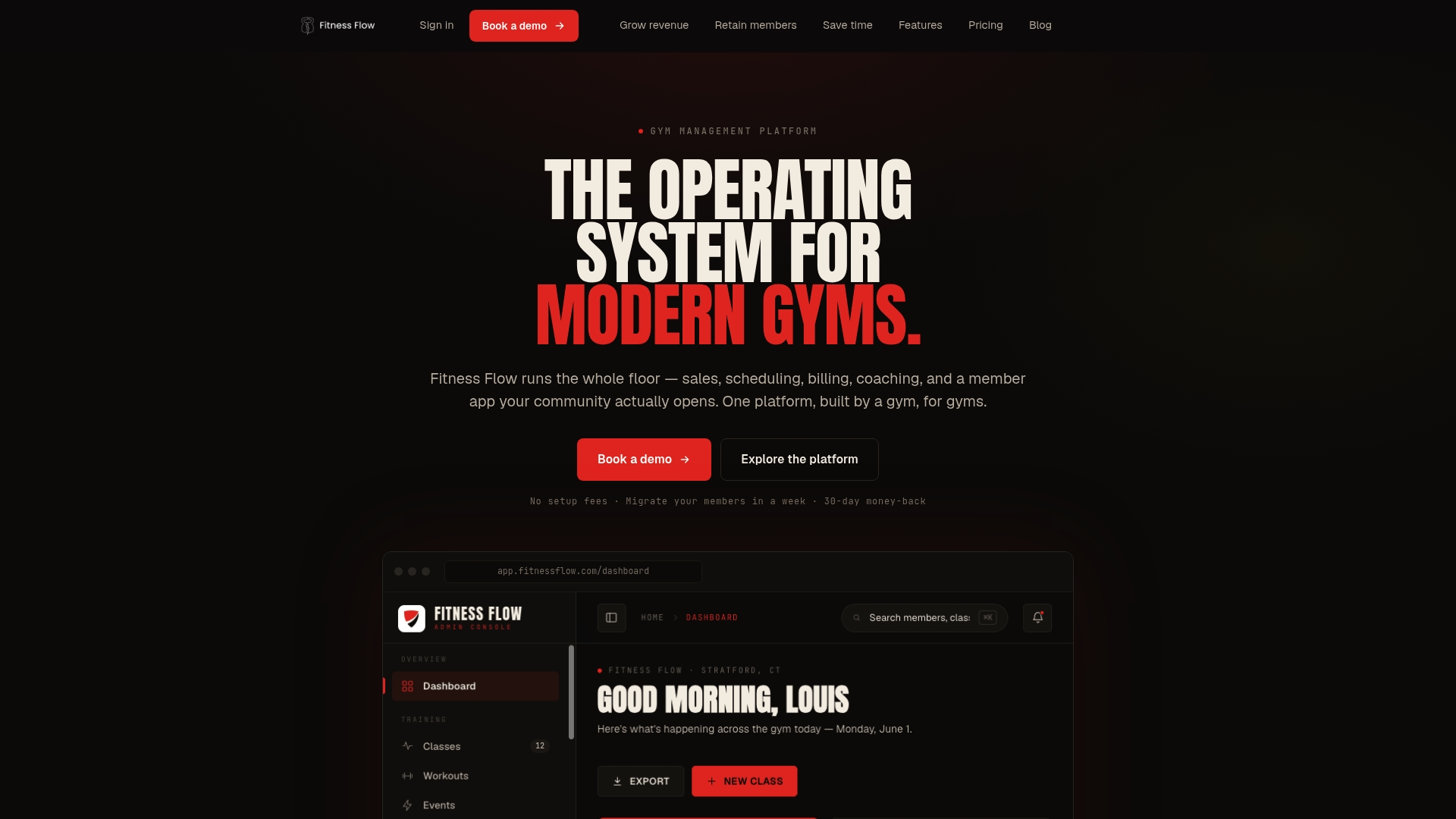
The result is a faster launch, fewer support tickets, and a member experience that works at 6:00 a.m. without staff intervention. Studios that switch from a DIY stack typically cut their administrative overhead on class day significantly and see higher replay engagement because the VOD library is built into the same app members already use.
Schedule a demo or start a free trial to see how Fitness Flow maps to the checklist in this article.
Useful sources and further reading
For equipment selection, network setup, and operational workflows:
- How to Stream Fitness Classes (Without Becoming a Tech Expert) — browser-based streaming setup guidance for instructors who want to avoid complex encoder configurations.
- How To Create Live Stream Fitness Classes: Your Ultimate Guide — covers upload speed minimums, equipment basics, and pre-class preparation.
- Live Streaming for Fitness 2026 Guide for Studios and Personal Trainers — covers simulive scheduling, embed players, and hybrid model strategy.
- Joinfitnessflow 30–90 Day Launch Playbook — step-by-step implementation guide for studios going from zero to weekly livestream programming.
- Joinfitnessflow Blog — operational posts on scheduling, billing, and hybrid class delivery for independent studios.
FAQ
What upload speed do I need to stream fitness classes?
You need at least 3 Mbps upload for 720p and 5 Mbps for 1080p. Test under real conditions with multiple devices connected, not on an idle network.
Do I need special software to run livestream fitness classes?
Browser-based platforms handle most studio needs without any downloads or encoder setup. Complex tools like OBS are only worth the overhead for multi-camera productions or custom broadcast setups.
How does Joinfitnessflow handle livestream access control?
Joinfitnessflow generates unique secure links automatically at booking and delivers them via email, app push, or SMS. Access is tied to the member’s billing status, so unpaid members cannot join without staff intervention.
What is the hybrid live and on-demand model?
It pairs scheduled live classes with searchable on-demand replays in a VOD library. Members who miss a live session can watch the replay, which drives retention by combining the accountability of a live class with the flexibility of on-demand access.
How long does it take to launch a livestream program?
A staged 30–90 day rollout is the standard approach: 30 days to configure and test internally, 30 days to pilot with a small group, and the final 30 days to scale with digital membership tiers and on-demand replays.