Class Capacity Planning for Gym Managers: Set Limits in a Week

Set class capacity by combining the physical cap (room, equipment, instructor) with a small dynamic buffer, then automate waitlists and reminders so empty spots fill on their own. Measure room size and equipment first, turn on waitlist automation today, and apply a conservative buffer until you have real attendance data. From there, watch fill rate and no-show rate weekly to decide where to adjust.
TL;DR:
- Aim for a 70% to 90% fill rate, targeting the lower end for volatile classes, and review fill and no show rates weekly.
- Set bookable capacity from the tightest room, equipment, or instructor limit, then apply a 10% to 20% demand buffer and refine it after four weeks.
- Test weak classes for two to three weeks before canceling, changing only one variable at a time to measure its effect on fill rate.
- Automate immediate waitlist offers with a 10 to 15 minute confirmation window, and send reminders 48 hours, 24 hours, and about two hours before class.
- A study of 5,209 gym members found dropout prediction reached 0.955 accuracy using nonattendance days, membership length, and amount billed; track those signals monthly.
Getfitnessflow
getfitnessflow.com
Keep Gym Classes Running Smoothly
Fitness Flow brings scheduling, billing, sales, and member engagement together, helping gym owners manage operations with less administrative work.
Table of Contents
- KPIs and Numeric Goals for Class Capacity Planning
- Step-by-Step Capacity Calculation for Any Class Format
- Designing a Schedule and Booking Rules That Match Demand
- Policies and Automations That Enforce Capacity Without Extra Admin Work
- Report Cadence, Experiments, and How to Iterate Capacity Settings
- Quick Wins and Common Mistakes in Capacity Planning
- How Fitness Flow Puts This Plan on Autopilot
- FAQ
- Sources
KPIs and Numeric Goals for Class Capacity Planning
Three formulas drive every capacity decision. Attendance rate is attendees divided by booked spots. Fill rate is booked spots divided by bookable capacity. No-show rate is bookings minus attendance, divided by bookings.
- Aim for a fill rate between 70% and 90%, adjusting the target down for classes with volatile demand.
- Expect no-show reductions of 20% to 40% once automated reminders are in place.
- Track non-attendance days, membership length, and amount billed as reporting priorities, since these showed up as the strongest dropout predictors in a large member study.
A study analyzing 5,209 gym members found that a gradient boosting model predicted dropout with 0.955 accuracy using non-attendance days, membership duration, and amount billed as the leading variables. That means your attendance logs are not just a scheduling tool. They are an early warning system for which members need a retention nudge before they cancel.
Build these three metrics into whatever reporting you already run, whether that is a spreadsheet or a dashboard. The goal is not more data. It is faster decisions about which classes need a bigger buffer, a different time slot, or a different instructor.
Step-by-Step Capacity Calculation for Any Class Format
Start with the hard caps, then layer in safety and demand adjustments.
- Measure the room’s safe occupancy limit, factoring in fire code and usable floor space.
- Count available equipment: bikes, mats, rowers, or stations, since this often caps capacity before the room does.
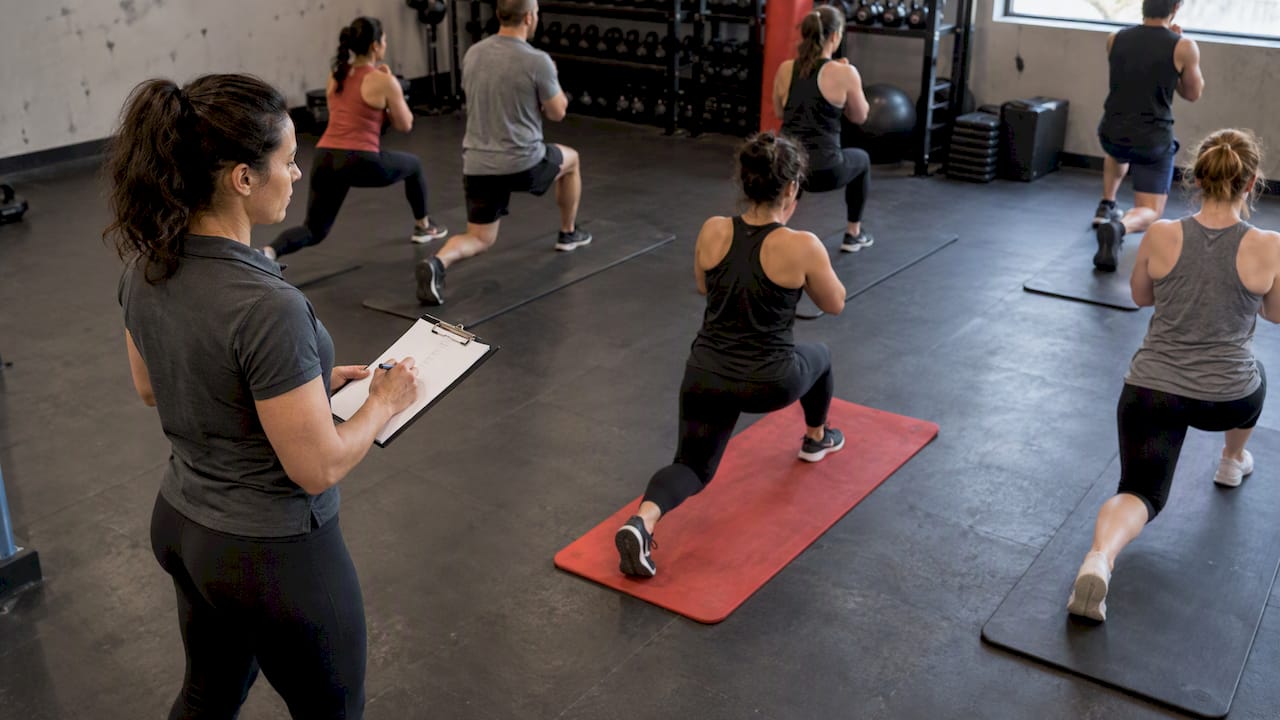
- Apply your instructor’s supervision ratio, especially for strength or technique-heavy formats where one coach can only watch so many people safely.
- Subtract space for cleaning carts, turnover time, and any hybrid streaming setup that takes up floor space.
- Add a demand-based buffer, typically 10% to 20%, based on historical no-show patterns.
When you lack historical no-show data, start conservative and tighten the buffer after four weeks of real bookings.
A few worked examples show how this plays out:
- A yoga mat class in a 400-square-foot room with 20 mats and 3-foot spacing lands near 20 physical spots; a 15% buffer brings bookable capacity to 23.
- A spin studio with 18 bikes has a hard cap of 18 regardless of room size, since equipment count becomes the binding constraint.
- A HIIT circuit class capped by six equipment stations and a 1:15 coaching ratio might land at 15 physical spots, with a smaller 10% buffer given consistently high show rates.
Designing a Schedule and Booking Rules That Match Demand
Once capacity is set, the schedule itself becomes the next lever. Pull the last several weeks of attendance by time slot and look for consistent peaks, then assign your strongest instructors to those windows rather than spreading talent evenly across the week.
Under-performing classes deserve a short test window, not an immediate cancellation. Try a new time or format for two to three weeks before retiring a slot entirely, and track whether a scheduling fix moves the fill rate before scrapping the class outright.
Pricing and access rules shape demand too:
- Reserve a small number of spots for full members ahead of general release, so your most committed members never get shut out by trial users.
- Cap trial-account bookings per week to prevent a single promotional cohort from crowding out regulars.
- Release class packs on a staggered schedule rather than all at once, which spreads demand instead of creating a rush that overfills peak slots and leaves off-peak ones empty.
Pro Tip: Change one scheduling variable at a time, room time, instructor, or buffer size, so you know exactly what caused a shift in fill rate.
Policies and Automations That Enforce Capacity Without Extra Admin Work
The controls matter as much as the math. Booking windows, waitlist rules, and reminders are what keep a well-calculated capacity from drifting out of sync with real demand.
- Set a booking cutoff, often two to four hours before class start, to give your team time to react to no-shows or late cancellations.
- Limit bookings per member per week for in-demand classes so one person cannot monopolize a popular slot.
- Stagger pack or credit releases across the week instead of a single Monday-morning rush.
Waitlist automation should auto-fill a canceled spot immediately and give the next person a short confirmation window, typically 10 to 15 minutes, before moving to the next name. A clear waitlist strategy can fill spots that would otherwise sit empty.
- Send reminders at 48 hours, 24 hours, and roughly 2 hours before class, mixing SMS and email so the message lands wherever the member actually checks first.
- Align staff schedules with demand data instead of a fixed roster, putting your top instructor on the slot with the highest historical fill rate.
Pro Tip: A short reminder sent about 2 hours before class often catches members who forgot entirely, not just those who are undecided.
Report Cadence, Experiments, and How to Iterate Capacity Settings
A weekly watchlist keeps capacity decisions grounded in current data rather than guesswork from months ago.
- Review fill rate by time slot every week to catch a trend before it becomes a pattern.
- Track no-show rate weekly, especially after any reminder or booking-rule change.
- Monitor waitlist conversion to see whether automated fills are actually working.
Monthly, go deeper: compare instructor-level attendance lift and run a simple cohort analysis tying early attendance patterns to later retention, prioritizing members whose non-attendance days or billing history flag them as higher risk.
Worth testing over a few weeks: a smaller or larger buffer on your most volatile class, a different reminder sequence, or reserved spots for long-tenured members. Change one variable at a time and give it enough weeks to separate a real trend from normal week-to-week noise.
Quick Wins and Common Mistakes in Capacity Planning
The fastest wins rarely require new equipment or a bigger room.
The most common mistake is overcomplicating booking rules until members cannot figure out how to reserve a spot, closely followed by ignoring instructor-level demand signals that are usually sitting in your existing data.
— Louis
How Fitness Flow Puts This Plan on Autopilot
Everything in this guide, the calculations, the waitlist rules, the reminder cadence, the weekly KPI review, runs manually until you have a system built for it. We built Fitness Flow around exactly that gap: one platform for scheduling, automated waitlists, demand-driven staff assignments, and the analytics dashboards that turn fill rate and no-show data into a weekly five-minute check instead of a spreadsheet project.

Gym owners using our platform report a 27% average increase in member retention and save roughly 12 hours a week on administrative tasks that used to eat into coaching and member-facing time. Current pricing details for our plans are available on our website.
See how it fits your schedule on our gym management platform page.

FAQ
How do I calculate class capacity for a fitness class?
Start with the room’s safe occupancy limit, then check whether equipment count or instructor supervision ratio creates a lower cap.
What is a good fill rate for gym classes?
A fill rate between 70% and 90% generally signals healthy utilization without constant overbooking risk. Classes with more volatile demand should target the lower end of that range to leave room for last-minute bookings.
How much can reminders reduce no-show rates?
Mixing SMS and email tends to reach more members than either channel alone.
What member behaviors predict gym dropout?
Non-attendance days, total membership length, and amount billed were identified as the strongest predictors in a large-scale analysis of fitness center members. Tracking these variables helps flag at-risk members before they cancel.
Should I reduce class capacity or add a buffer instead?
A buffer is usually the better first move, since it lets you keep the room’s full potential while accounting for predictable no-shows. Reserve an actual capacity cut for classes where safety limits, not demand patterns, are the binding constraint.