Live Classes for Gyms: Pilot in One Week, Scale in 30 to 90 Days

The fastest reliable way to run live classes is to pick a managed in-app platform as your primary approach, since it keeps branding, scheduling, and member data in one place and removes the operational drag of stitching together separate tools. If you lack production staff or want to test demand first, a hybrid setup works too. Either way, start with a one-week pilot before committing to a full schedule.
TL;DR:
- Choose WebRTC for form corrections and other interactive coaching; at 720p, HLS usually costs less above roughly 40 viewers when encoding costs are included.
- Provide at least 5 Mbps of upload speed per stream, use wired internet when possible, and record each class locally as a backup.
- If your budget is tight, test the cheapest workable setup for two to four weeks before buying equipment, and use gear you already have.
- Connect booking, billing, and attendance to member records; three missed live classes can trigger the retention workflow used for in person visits.
- Build an on demand library first if staff time is limited, and save live sessions for community building or techniques that need real time correction.
Getfitnessflow
getfitnessflow.com
Bring Live Classes Into Your Gym App
Fitness Flow combines live classes, scheduling, billing, and member engagement in one branded app, helping gyms reduce administrative work and connect with members.
Table of Contents
- Three practical ways to deliver live classes
- How to choose the right approach for your gym
- Production and hardware checklist for reliable live classes
- Real-time rooms vs HLS broadcast: picking the right streaming architecture
- A production runbook for every live class
- Monetization and pricing models that work for live classes
- Engagement tactics that turn live attendees into retained members
- Fitness Flow playbooks that map directly to this runbook
- Connecting live classes to your gym management software and CRM
- Using member feedback and class data to improve your offerings
- Training instructors to lead a live class, not just a workout
- Choosing between live-first and on-demand-first strategies
- Launch branded live classes without juggling separate tools
- FAQ
- Sources
Three practical ways to deliver live classes
Most studios choose between three paths, and the right one depends on how much control you want versus how fast you need to launch.
A managed in-app platform runs live classes inside your own branded member app, with scheduling, billing, and attendance already connected to your member records. It suits studios that want one system and minimal technical overhead.
Third-party streaming tools (standalone livestream software connected to your website or social channels) give you more production flexibility but require you to manually sync attendance and billing with your member database. This fits studios with dedicated tech staff or a strong existing audience on social platforms.
A hybrid model streams through a third-party tool while linking back to your branded app for booking and payment. It’s a reasonable middle ground when you’re testing demand before investing in a fully integrated system.
- In-app platform: best for studios wanting unified data, the lowest ongoing tech overhead.
- Third-party tools: best for studios with production experience and an existing broadcast audience.
- Hybrid: best for pilot programs where you want flexibility without a full commitment.
How to choose the right approach for your gym
Run through five decision axes before picking a path: how much real-time interaction your classes need, your typical audience size, how important consistent branding is, whether you need replay access, and how much staff or technical capacity you actually have.
- If instructors need to correct form live, choose a real-time, interactive approach over a pure broadcast.
- If your typical class draws more than roughly 40 viewers, a broadcast-style delivery tends to be more cost-efficient than a fully interactive room, based on cost modeling from VideoSDK’s streaming comparison.
- If branding and member data matter more than custom production flourishes, weight your decision toward an in-app platform.
- If you don’t yet have a dedicated instructor or tech staff, start with the hybrid model before scaling up.
- If budget is tight, test with your cheapest viable setup for two to four weeks before buying new equipment.
Use this five-minute checklist: confirm interaction needs, estimate average class size, rank branding importance, decide if replay matters, and tally your available staff hours per week.
Pro Tip: Run your first pilot class with whatever camera and platform you already have access to. Fix the workflow before you fix the gear.
Production and hardware checklist for reliable live classes
Good production doesn’t require a studio budget, but a few specific choices make a visible difference in how classes feel to remote members.
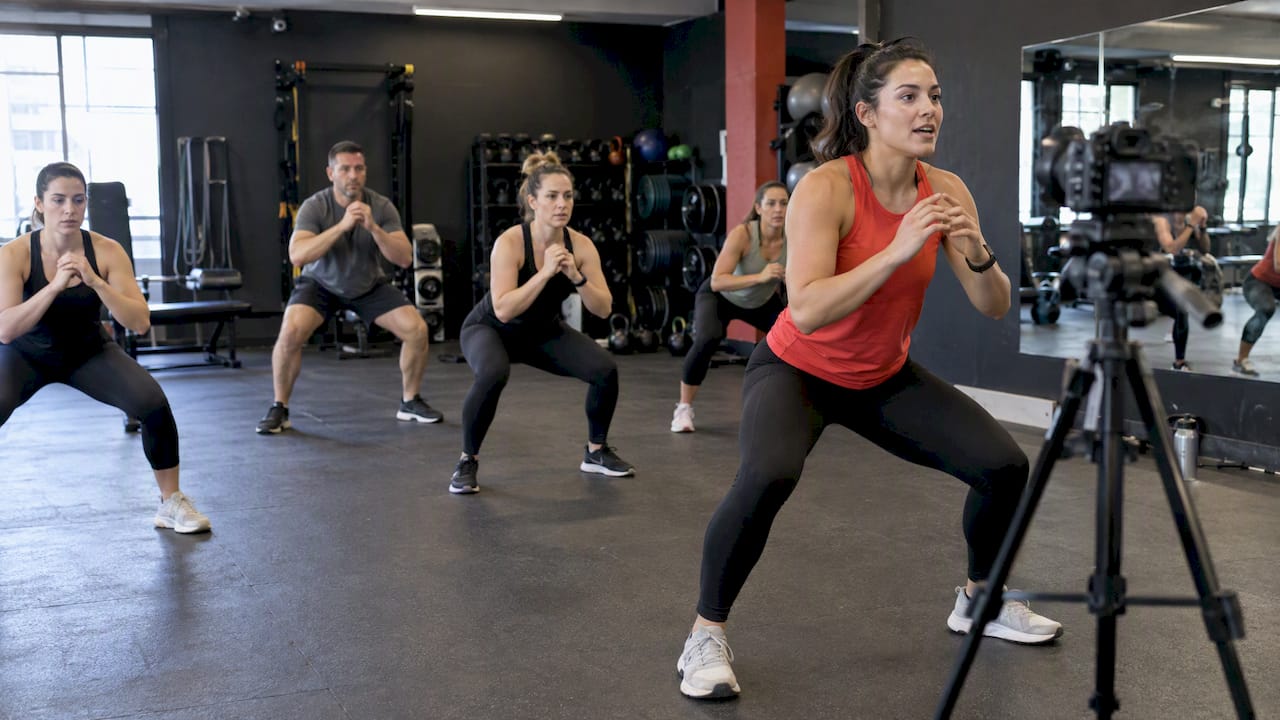
For cameras, a PTZ (pan-tilt-zoom) camera on a wall mount gives you hands-free framing for group classes, while a DSLR or a quality webcam on a tripod works fine for smaller formats like one-on-one or small-group sessions. Audio matters more than video: a lavalier mic on the instructor keeps voice levels consistent while they move, and a separate feed or mixer for music prevents the track from drowning out cues. A basic USB mic works for stationary setups like yoga or stretching classes.
Lighting needs only three sources to look professional: a key light in front of the instructor, a fill light to soften shadows, and a back light to separate them from the background. Inexpensive LED panels handle all three for a modest cost.
- Target at least 5 Mbps upload speed per simultaneous stream, with a wired ethernet connection preferred over Wi-Fi.
- Keep a mobile hotspot as backup in case your primary connection drops mid-class.
- Record every session locally as a backup, even when you’re also streaming live.
Pro Tip: Run a 60-second test stream five minutes before every class to catch audio or connection issues before members log in.
Real-time rooms vs HLS broadcast: picking the right streaming architecture
Two technical models handle live video differently, and picking the wrong one either wastes money or breaks the experience you’re promising.
A real-time room, built on WebRTC, delivers sub-second latency and lets instructors see and respond to members live. This is the format you need for interactive coaching or live form corrections. HLS (HTTP Live Streaming) trades that immediacy for scale: it buffers several seconds of video but handles much larger audiences at a lower per-viewer cost, since it’s built for one-way broadcast rather than two-way interaction.
VideoSDK’s cost modeling indicates a break-even point near 40 viewers for 720p video: below this, an interactive room costs less per viewer-minute, and above it, HLS becomes more cost-effective when including encoding costs. That’s a useful rule of thumb when deciding whether to run a small-group interactive class or a large-audience broadcast.
- Use WebRTC rooms for small, interactive formats like personal training or technique-focused classes.
- Use HLS for large group classes where one-way viewing is the norm.
- Combine both by running the live instructor feed over WebRTC and simulcasting to a larger HLS audience when a class draws an unusually big crowd.
Operationally, a practical build assigns the instructor a send-and-receive role and the audience a receive-only role by default, with a promotion flow to temporarily grant a member send permission for a form check. Token-based permissions should be issued server-side, since a client-side setting alone can’t reliably stop someone from switching modes, according to VideoSDK’s implementation guide.
A production runbook for every live class
A consistent runbook turns live classes from a one-off experiment into a repeatable part of your schedule.
- Pre-class (24 hours before): confirm the booking list, send member reminders, and have the instructor do a quick tech check on camera, mic, and connection.
- Pre-class (10 minutes before): open the stream early, test audio levels, and greet early arrivals to settle any last-minute connection issues.
- During class: use consistent framing so members can see full-body movement, keep music and voice balanced, and moderate chat so cues don’t get buried.
- During class (interactive formats): promote a member briefly for a form check, then return them to viewer mode.
- Post-class: trim and encode the recording, add it to your on-demand library, and send a short follow-up with the replay link.
- Post-class: log attendance and basic engagement data so you can track trends over time.
A sample 45 to 60 minute class might run five minutes of warm-up and tech settling, 35 to 45 minutes of main workout with two or three brief interactive check-ins, and five minutes of cooldown and wrap-up messaging.
Monetization and pricing models that work for live classes
Live classes can generate revenue a few different ways, and testing cheaply before committing to one model avoids overbuilding before you know what members will pay for.
Common pricing patterns include bundling live classes into existing membership tiers, charging a per-class fee for non-members or drop-ins, offering a dedicated virtual-only subscription tier, or selling timed passes for a set number of classes.
- Member-only access keeps live classes as a retention perk rather than a new revenue line.
- A paywall or drop-in fee works for reaching people outside your membership base.
- Bundling live and on-demand access together tends to increase perceived value compared with selling either alone.
- Coupon or referral codes for a first free class can convert viewers into paying members.
To estimate pilot revenue, take a simple example: if 20 non-members pay a $10 drop-in fee for a single live class per week, that’s $200 in incremental weekly revenue before accounting for any conversions to full membership, a useful floor to compare against your production costs.
Engagement tactics that turn live attendees into retained members
Getting someone to attend one live class is easier than getting them to come back; the tactics that close that gap tend to be small and consistent rather than dramatic.
A branded member app with push notifications builds the habit of checking class schedules the way a native fitness app would, rather than relying on members to remember to visit a website.
- Offer a brief live Q&A at the end of class to keep engagement personal.
- Promote a member on screen for a quick form check to make the class feel interactive rather than passive.
- Add streaks or leaderboards for consistent attendance to turn participation into a small competition.
- Send a replay link and a targeted offer within a few hours of class ending, while interest is still high.
Interactive and hybrid formats remain a leading fitness trend industry-wide, which supports continued investment in features that make live classes feel like more than a video call, according to the ACSM’s 2026 trend report. Track attendance rate, replay view counts, and conversion from drop-in to membership as your core retention KPIs.
Fitness Flow playbooks that map directly to this runbook
We built our launch playbooks around the exact runbook outlined above, so you’re not starting from a blank page. A one-week launch playbook can guide you through picking a format, testing gear, and running your first class within seven days, while a 30 to 90 day playbook covers scaling class frequency, refining production, and layering in monetization once the format is proven.
Time savings can come from not having to manually reconcile attendance, payments, and member records across separate apps.
If you’re ready to move from reading to doing, the next step is running a one-week pilot using our live streaming launch guide or working through the staged rollout in our 30 to 90 day playbook.
Connecting live classes to your gym management software and CRM
Live classes generate a lot of data: who booked, who showed up, who watched the replay, and who converted from a drop-in to a membership. When that data lives in a separate streaming tool instead of your core gym management system, you end up manually copying attendance records and missing opportunities to follow up.
An integrated setup records live-class attendance directly against each member’s profile in your CRM, the same way an in-person check-in would. That means a member who skips three live classes in a row can trigger an automated retention workflow, the same workflow you’d use for someone who stops showing up in person.

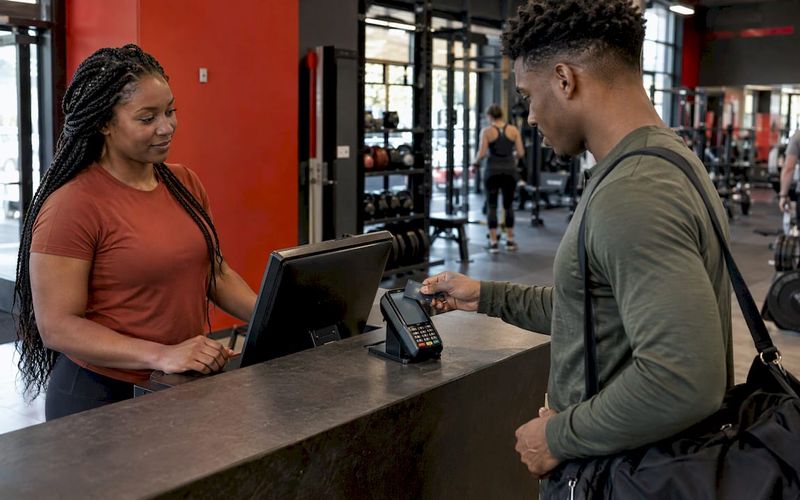
Billing integration matters just as much. When a live class is tied to a membership tier or a drop-in fee, the charge should flow through your existing payment processor rather than a separate checkout tied to a streaming tool. This avoids the reconciliation work of matching streaming-platform payments against your member database by hand.
Scheduling integration closes the loop: when live classes appear in the same booking calendar as in-person sessions, members see one unified schedule instead of needing to check two separate systems. That single view is often the difference between a member casually noticing a live class and actually booking it.
Using member feedback and class data to improve your offerings
Attendance numbers only tell part of the story. Pairing them with direct member feedback shows you which formats are worth expanding and which ones need adjusting or dropping.
After each class, a short one-question survey (on a scale of 1 to 5, or a quick thumbs up or down) takes members seconds to complete and gives you a running quality signal across your schedule. Combine that with attendance trends: a class that draws fewer live viewers but high replay counts might work better as an on-demand-first format instead of a weekly live slot.
Watch for drop-off patterns within a class too. If your analytics show viewers consistently leaving around the 20-minute mark, that’s a cue to revisit pacing or structure rather than assuming the format itself has failed. Reviewing this data monthly, rather than reacting to any single class, helps you separate real trends from one-off noise like a bad connection day or an unusually small group.
Training instructors to lead a live class, not just a workout
Leading a live virtual class draws on different skills than leading an in-person one, and instructors who haven’t done it before benefit from specific preparation rather than assuming the in-person approach transfers directly.
Instructors need to narrate movement more explicitly than they would in person, since remote participants can’t always see small positioning cues the way someone standing in the room could. Framing also matters: instructors should know how to position themselves so their full body stays visible during floor work or standing exercises.
Before going live, instructors should practice basic troubleshooting: muting and unmuting, checking their own audio levels, and knowing how to promote a member for a quick form check if your platform supports it. A short rehearsal run, even just five minutes with a staff member watching remotely, catches framing and audio issues before they show up in front of paying members.
Choosing between live-first and on-demand-first strategies
Live-first delivery earns its cost when classes are genuinely community-driven or instructor-led techniques that benefit from real-time correction, like strength coaching or technique-heavy formats. If your staff and production time are limited, build an on-demand library first since it scales without repeated staff time and gives you content to bundle once you do add live sessions.
— Louis
Launch branded live classes without juggling separate tools
A well-designed platform allows gym owners to avoid stitching together a streaming tool, a billing system, and a member app separately. Live classes, scheduling, payments, and member engagement can run through the same branded app members already use, which supports retention and time savings.

- Start a trial on our Solo, Studio, or Multi-site plans to test live classes with your current member base.
- Request a demo through our gym operator page to see the branded app and live-class tools in action.
- Download a one-week launch playbook to get your first class scheduled within days.
FAQ
What classes are offered at the gym?
Class offerings vary by gym, but most studios running live virtual sessions mirror their in-person schedule: strength training, cardio, yoga, cycling, and small-group coaching formats. The best starting point for your own gym is to pilot live versions of your two or three most popular in-person classes first.
What is the 3-3-3 rule for working out?
Definitions of workout rules vary across sources, and no single authoritative definition of a “3-3-3 rule” is established for general fitness training. If you’ve seen it referenced for a specific program, check that program’s own materials rather than relying on a generic definition.
Does the gym group offer free classes?
Whether a gym offers free classes depends entirely on that gym’s own pricing and promotional choices rather than any industry standard. Many studios use a free trial class, live or in-person, as a way to convert first-time visitors into paying members.
What are virtual fitness classes?
Virtual fitness classes are workout sessions delivered over video instead of in person, either live with real-time instructor interaction or pre-recorded as on-demand content. Live virtual classes typically run through a streaming platform or a branded gym app that also handles booking and billing.
Sources
- Live Streaming SDK for Fitness Apps: Build Interactive Classes - VideoSDK
- ACSM Top Fitness Trends 2026